Govern your external guests using Privileged Identity Management
Governing external users’ access to Azure resources using Microsoft Entra ID Governance for guests.
The other day, I was granting a guest user access to an Azure Subscription in my tenant. The guest in this case is me, but from another account. I do this often when I move Azure Subscriptions from one directory to another – (another blog post idea). Anyway, I saw this recommendation on the “Add role assignment” UI that got me thinking:
If you have Microsoft Entra Privileged Identity Management (PIM), you can use eligible assignments to provide just-in-time access to role. Users with eligible and/or time-bound assignments must have a valid license. Learn more
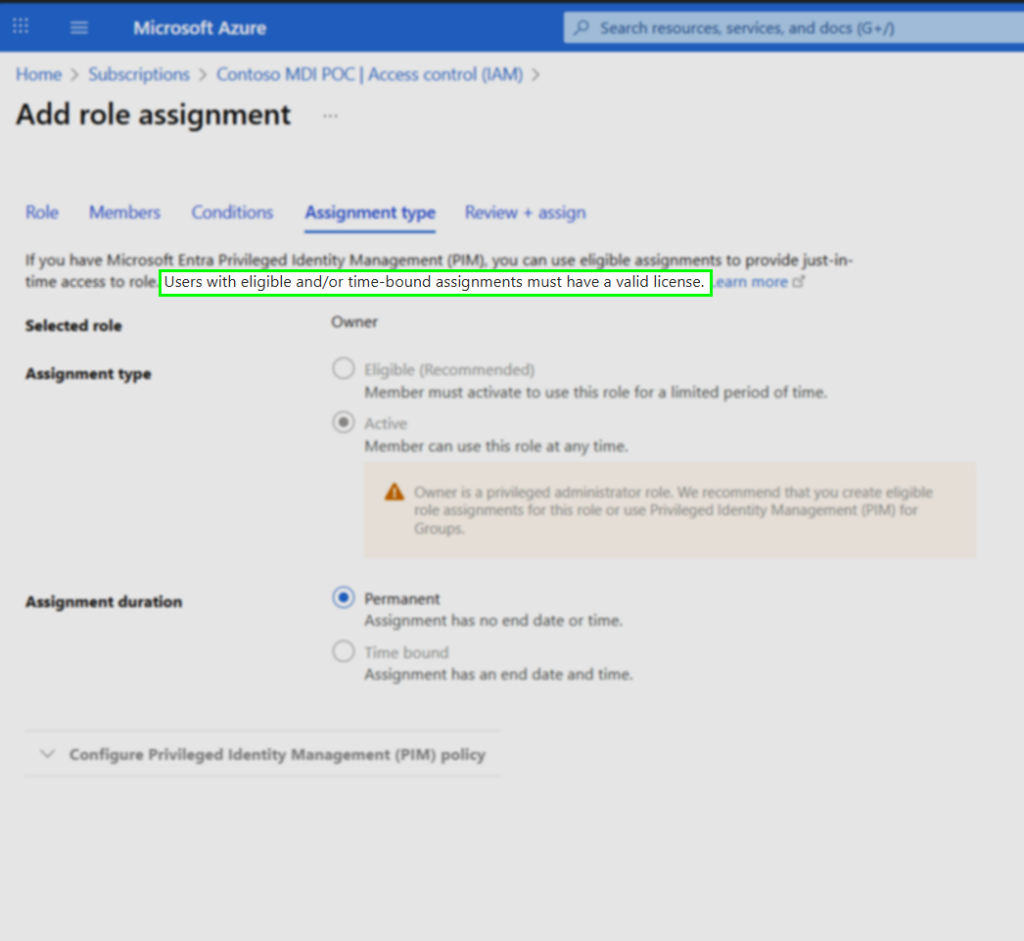
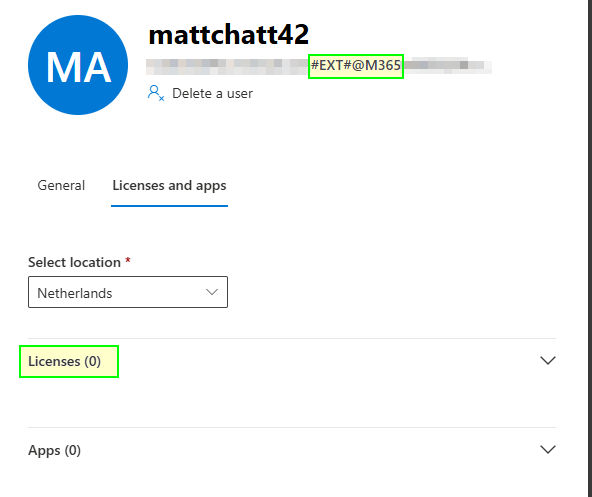
I do indeed have PIM because I have Entra ID P2 – but the “Eligible (Recommended)” and “Time bound” options of PIM were greyed out. So, this is where I backed out of the assignment and went to figure out how I can do this, but for a guest account that doesn’t have an Entra ID P2 license assigned to them from my tenant. As you can see in the image below of the guest user’s licenses (0) and apps (0).
I’m sure most of you are familiar with the process of elevating an account for just-in-time (JIT) and just-enough-access (JEA) to perform an administrative function for a short period before having the access revoked again automagically. At least I hope you are!
Two of the features of PIM, are Azure resource management and PIM for Groups. Where in Azure resources, you can manage JIT access to Azure resources by assigning eligibility to Azure role-based access control (RBAC) and reduce standing access to resources. Similarly, PIM for Groups allows you to manage JIT membership of either an Entra Security Group or a Microsoft 365 group. Combining these two features is possible, but there is a caveat that I wrote about in https://mattchatt.co.za/entra-pim-for-groups-and-azure-resources/ so I suggest you check that out before you do.
Right, back to the task at hand, assigning PIM eligibility to an unlicensed guest user for my Azure Subscription.
I remember in the old days, there was this 1:5 rule of thumb, that for every 1 licensed user, 5 guests could benefit from that license features but that just worked by default and you didn’t have to configure or enable anything. I do recall, however, reading somewhere about that changing to the new Monthly Active Users (MAU) billing model. This was referenced in a tiny paragraph at the end of an Alex Simons (Microsoft) blog post on 1st September 2020.
Since PIM is part of Identity Governance, shown in the screenshot below, I figured let me look around there for something to do with guests.

Anyway, I saw this in the Dashboard, under ID Governance. The text mentions turning on ID Governance to manage your guests with the same premium capabilities as members with a Get started button.
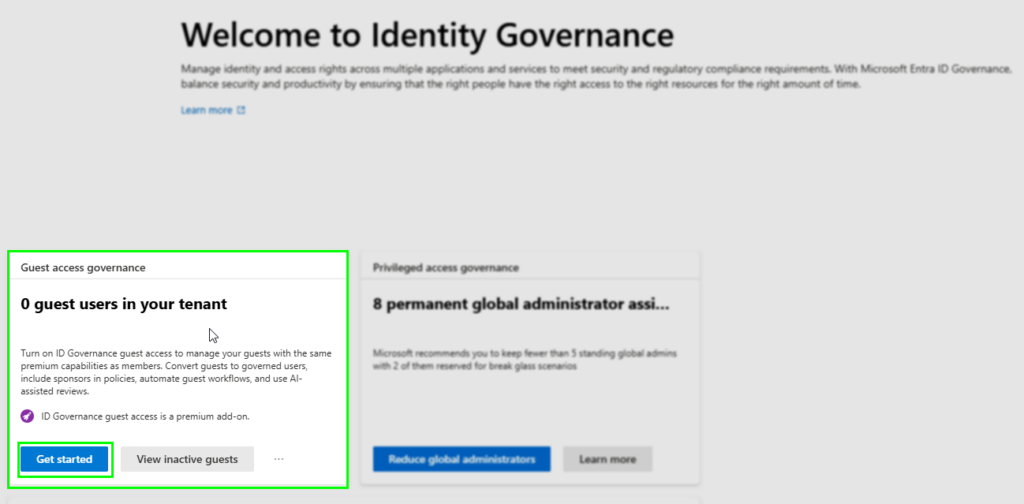
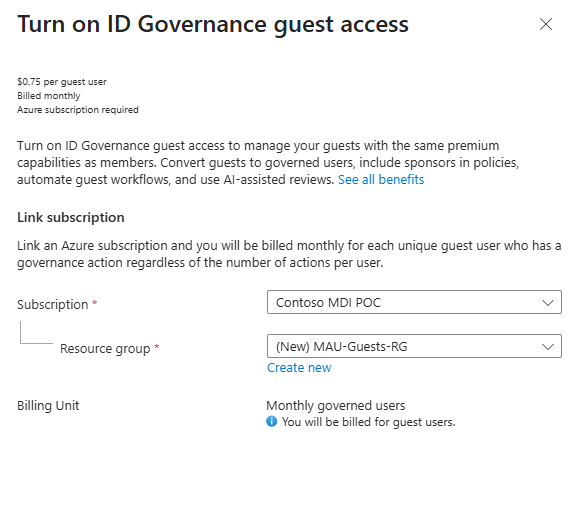
Clicking the Get started button, launches the Turn on ID Governance guest access resource provider registration. This is where you must have at least the Contributor role access to an Azure subscription in order to select one and create a resource group.

BTW, the $0.75 per guest user is for each guest user that uses ID Governance features, there is no free tier for governance billing. Governance guest billing applies to all guest users, even those within the first 50,000 MAU. Microsoft Entra ID Governance licensing for guest users – Microsoft Entra ID Governance | Microsoft Learn
The Microsoft.EntraIDGovernance resource provider is then registered for the subscription
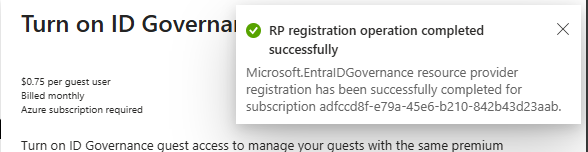
Finally, guest access add-on is enabled for the subscription

From that point, I could assign a guest as eligible to a role through the PIM process.
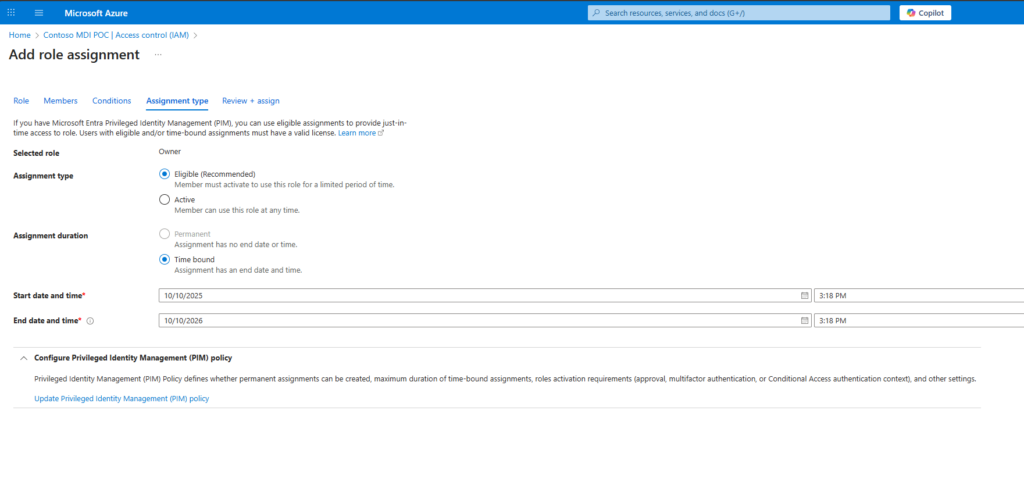
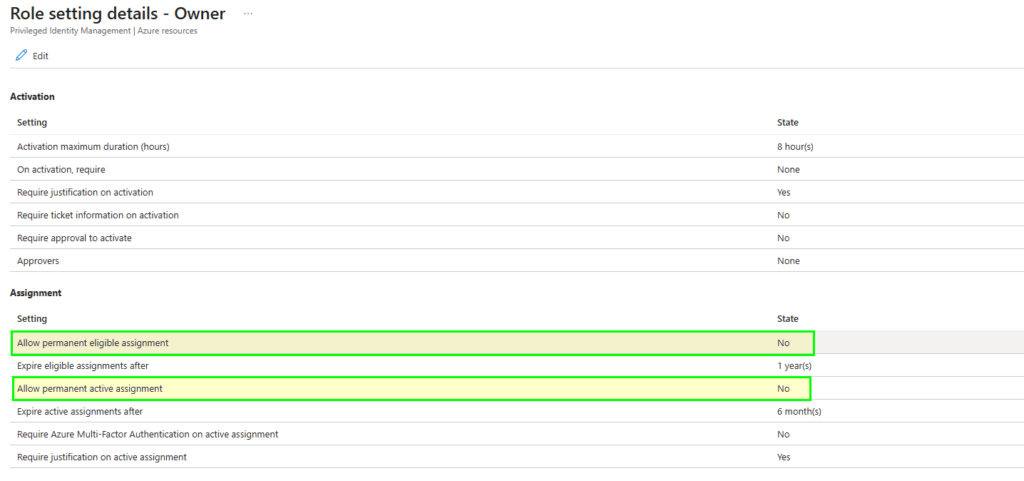
For those with a keen eye, you will have noticed that the assignment duration is Time bound and the option to select Permanent is greyed out. This is because the Role setting in PIM (for Azure resources) is configured that way by default, but you can change it (for each role):
PIM activity for guests is not actually an ID Governance feature for guests. Guest users are only billed when they actively use features that are exclusive to Microsoft Entra ID Governance. See https://learn.microsoft.com/en-us/entra/id-governance/microsoft-entra-id-governance-licensing-for-guest-users#billable-governance-features for the list of billable ID Governance features for guests.
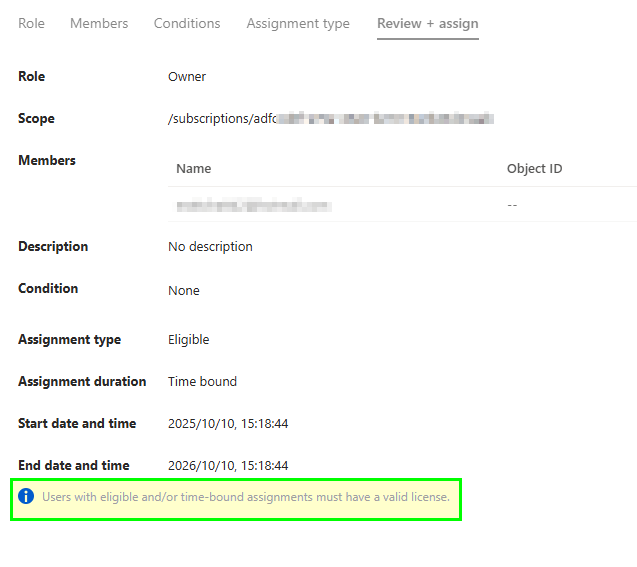
I can’t find any documentation around the licensing of PIM for Guests, but I know I had to link an Azure subscription to light the feature up in my tenant.
There are other features within PIM, but you can consult the Microsoft Documentation for PIM for more in-depth details.
Guest user experience for activation
To activate the PIM Azure resource role assignment as a guest in the Contoso tenant, requires some tenant switching. I do this from the ellipsis (…) after clicking on my profile picture in the top right-hand corner of the Azure Portal, then clicking switch directory.
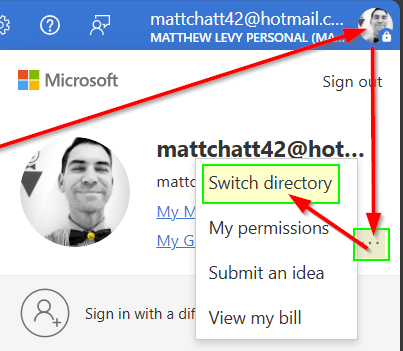
From the list of directories, I then click the  button next to the Contoso directory.
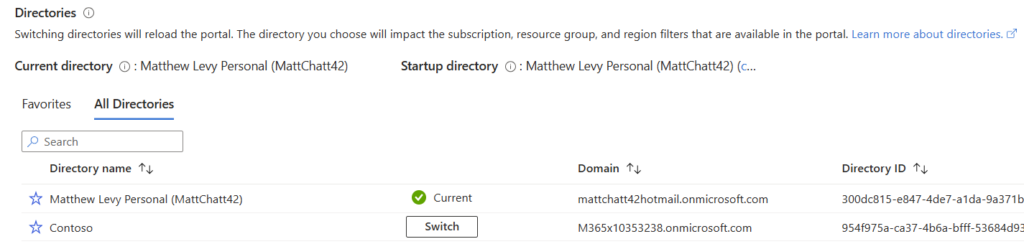
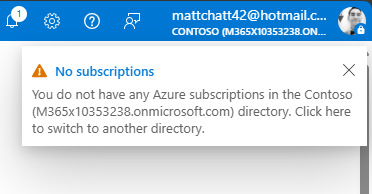
Once I switch to the Contoso directory, and because I am in the Azure portal, I see a notification that informs me that I don’t have any Azure Subscriptions. That is because I haven’t elevated my guest user’s access to read the particular Azure subscription I’ve been granted eligibility to yet.
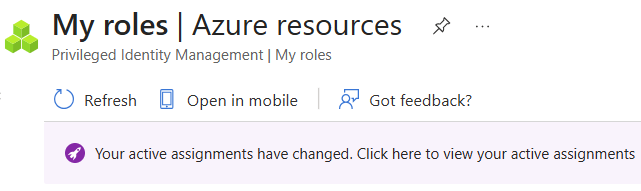
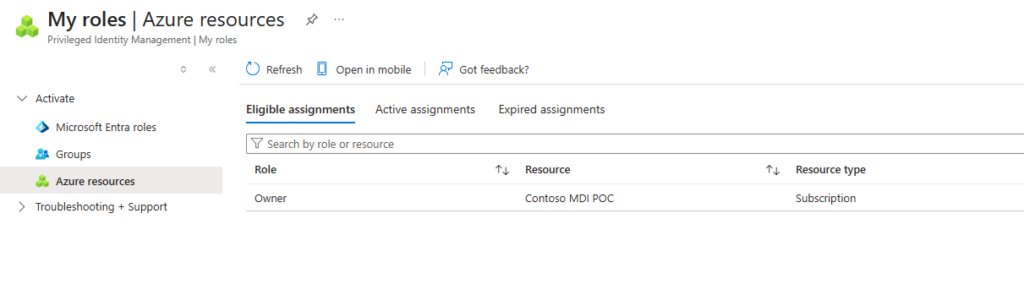
In the same browser window, I enter https://aka.ms/pim. This takes me to the “My roles” page within PIM. I just double check that I’m still signed into the Contoso tenant by looking next to my profile picture in the top right.
I need to click on the Azure resources option under the Activate group in order to see the eligible assignments for Azure resources.
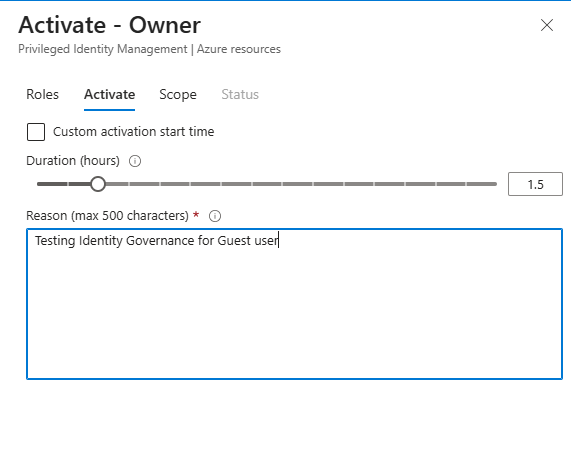
I then activate the assignment, filling in a reason for audit purposes.
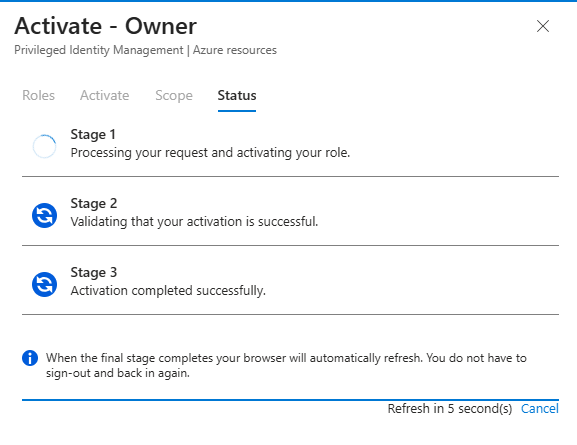
The activation is approved and activated automatically.
It is now listed under the Active assignments, with an end time:

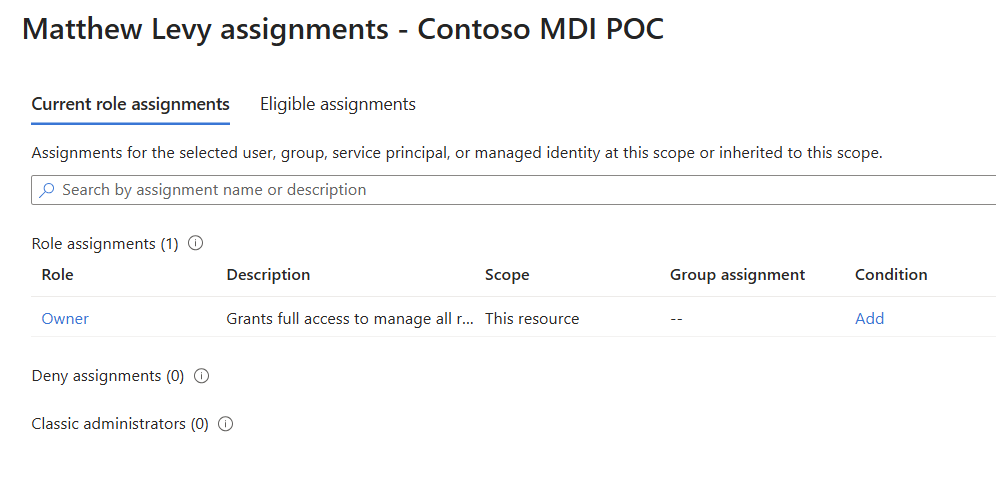
In my case, the Azure subscription that I granted access to the guest user, is the same subscription I linked for the MAU billing, but obviously that is not what you would do in a production environment. You’d probably have a dedicated management subscription in a management landing zone as per the Azure Landing zones architecture.
That’s it really. Simple activation for the guest user, apart from the switching tenant bit to start off with.
I think this is a great way to govern access to Azure resources for all users, not just guests, but guests in particular. Because now the assignment can reach a specified time and expire. All access will be revoked automatically.
So, to recap, if you have Entra ID P2 with PIM or Entra ID Governance, or Entra Suite licenses, you can manage Entra Roles, Entra Groups and Azure resources with PIM. You can assign time-bound eligibility for JIT access to guest users. You need to link an Azure subscription for ID governance features to light up. You may be billed on that subscription for ID Governance features that the guest leverages, although this PIM elevation example doesn’t appear to be one of those billable features.
Are you using PIM for your guest users? Are you using ID Governance features for guests? If so, how much do you get billed on the MAU billing model? Let me know in the comments.